This Google Sheets document is excellent for tracking your Boat Maintenance & Inspection Log & Service Hours Schedules.
This automated template is an all-in-one spreadsheet that features multi-tab relational vehicle registries, live dynamic financial charts, and a built-in script that can email you and your team maintenance notifications when service is due.
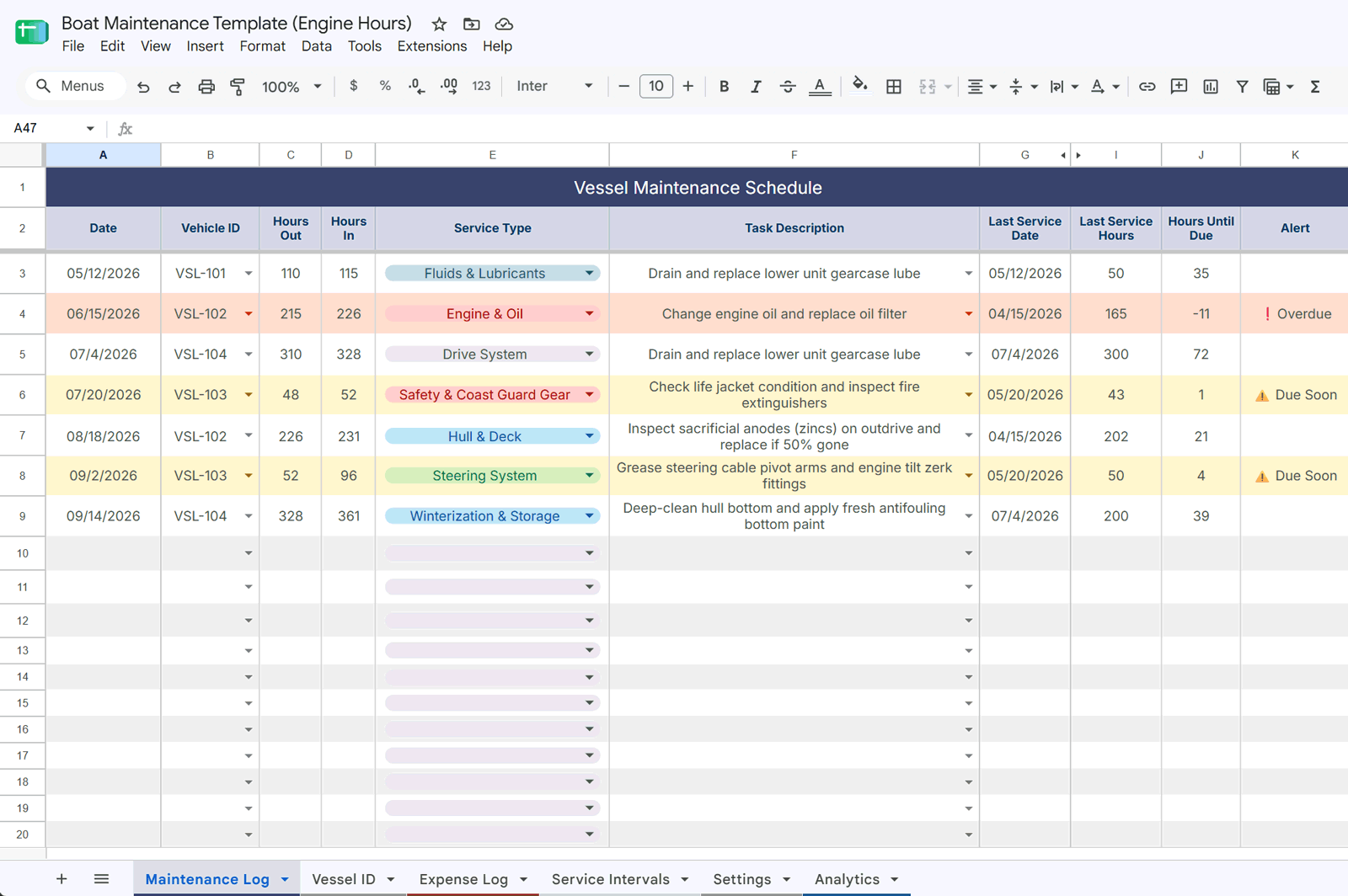
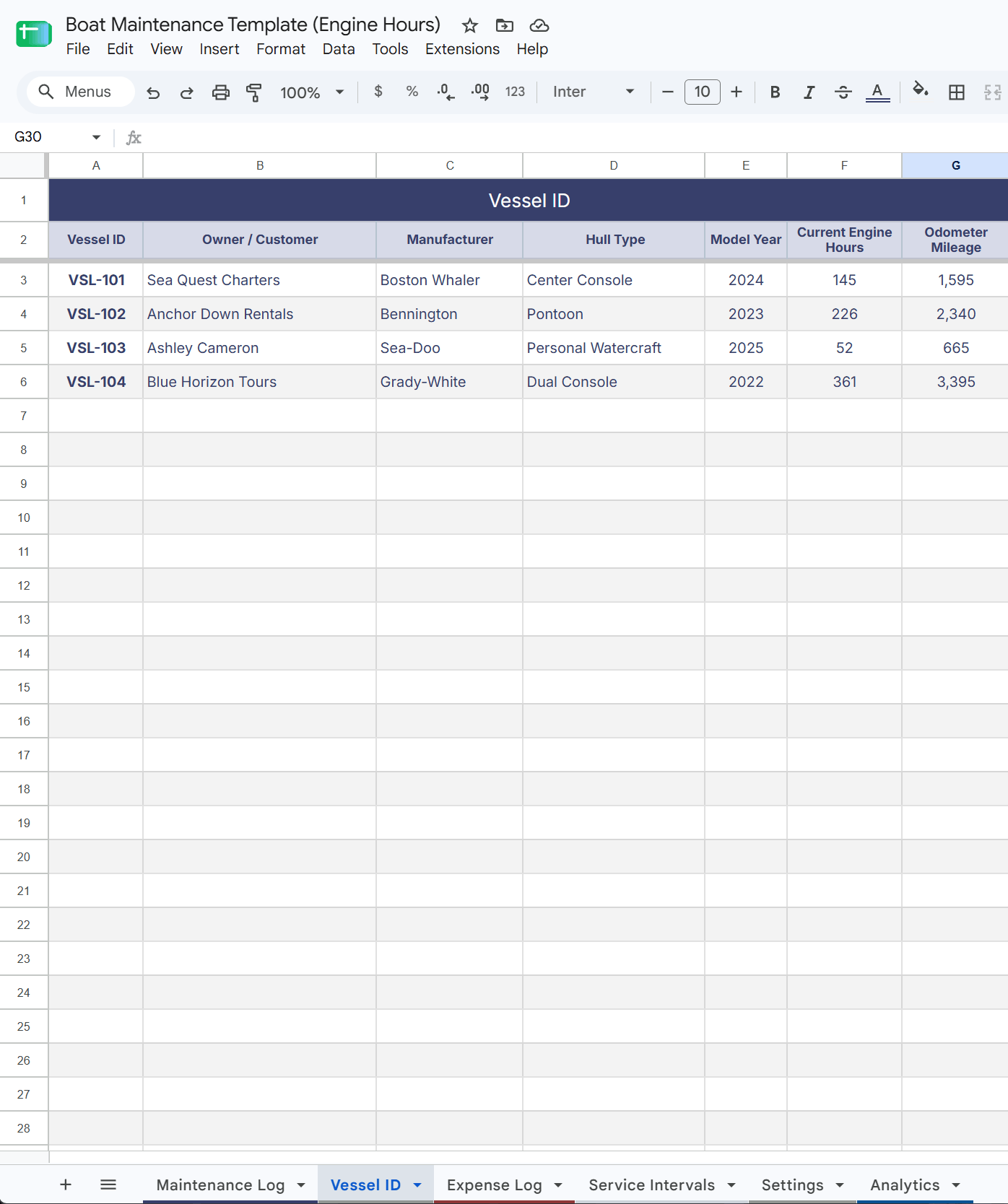
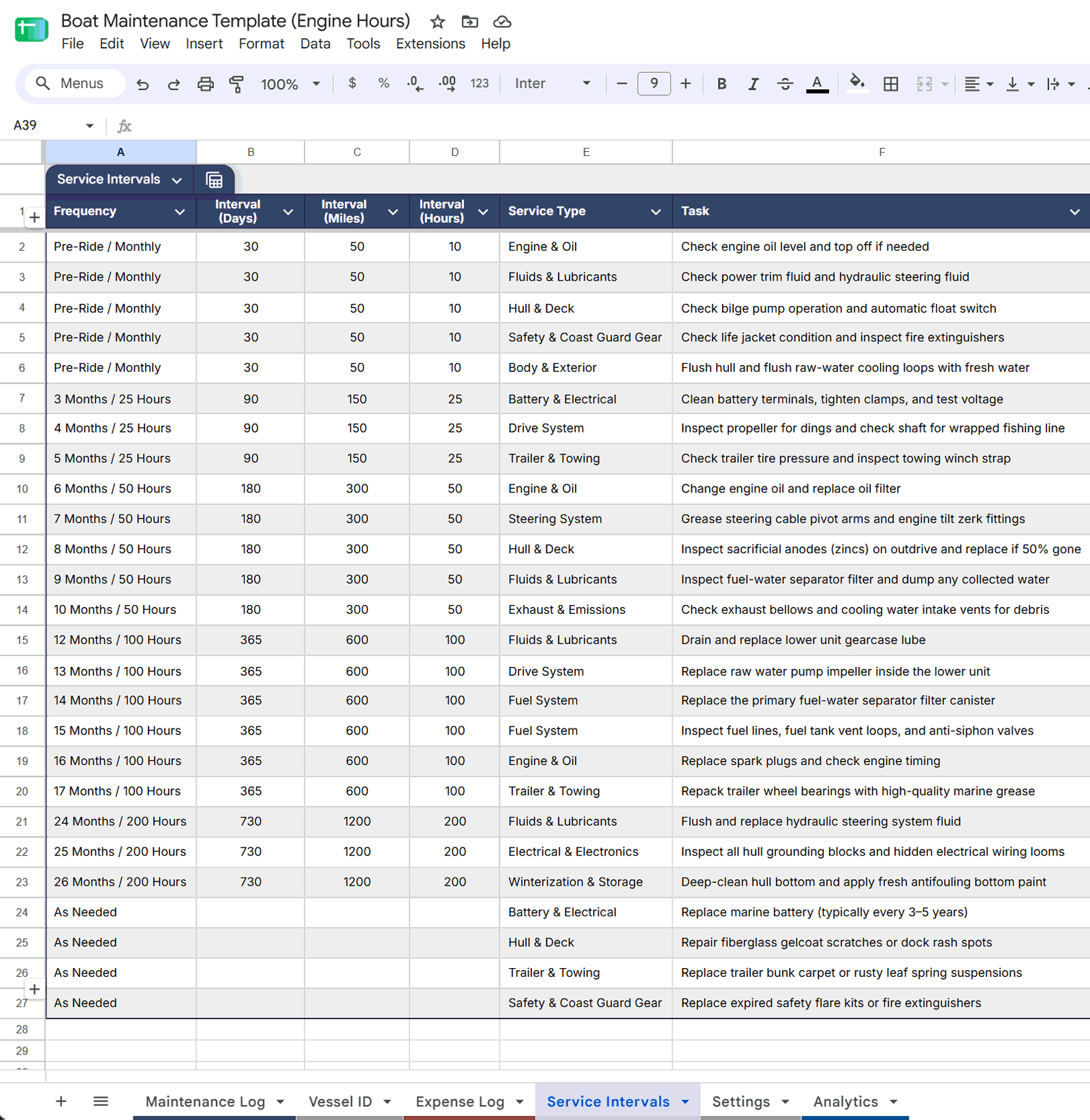
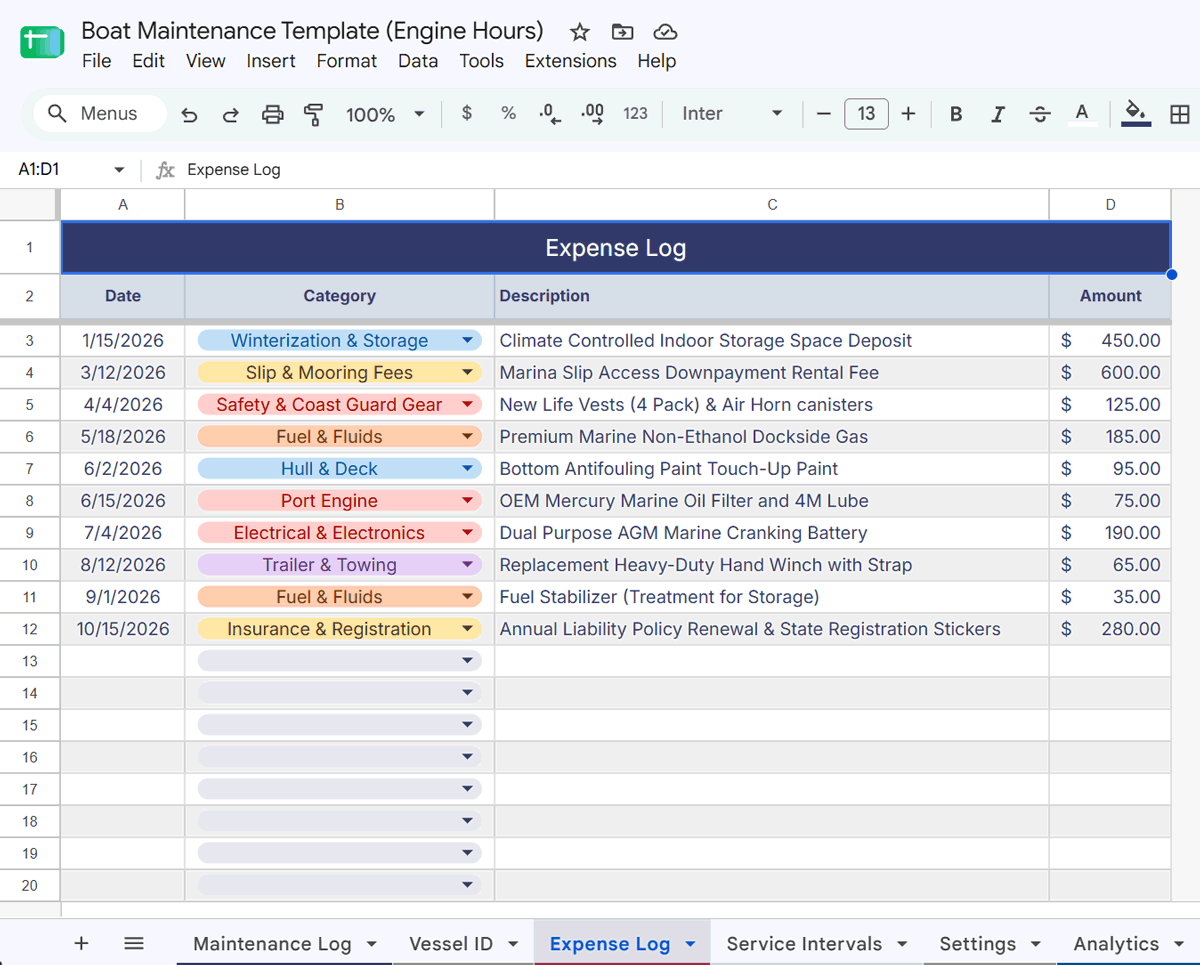
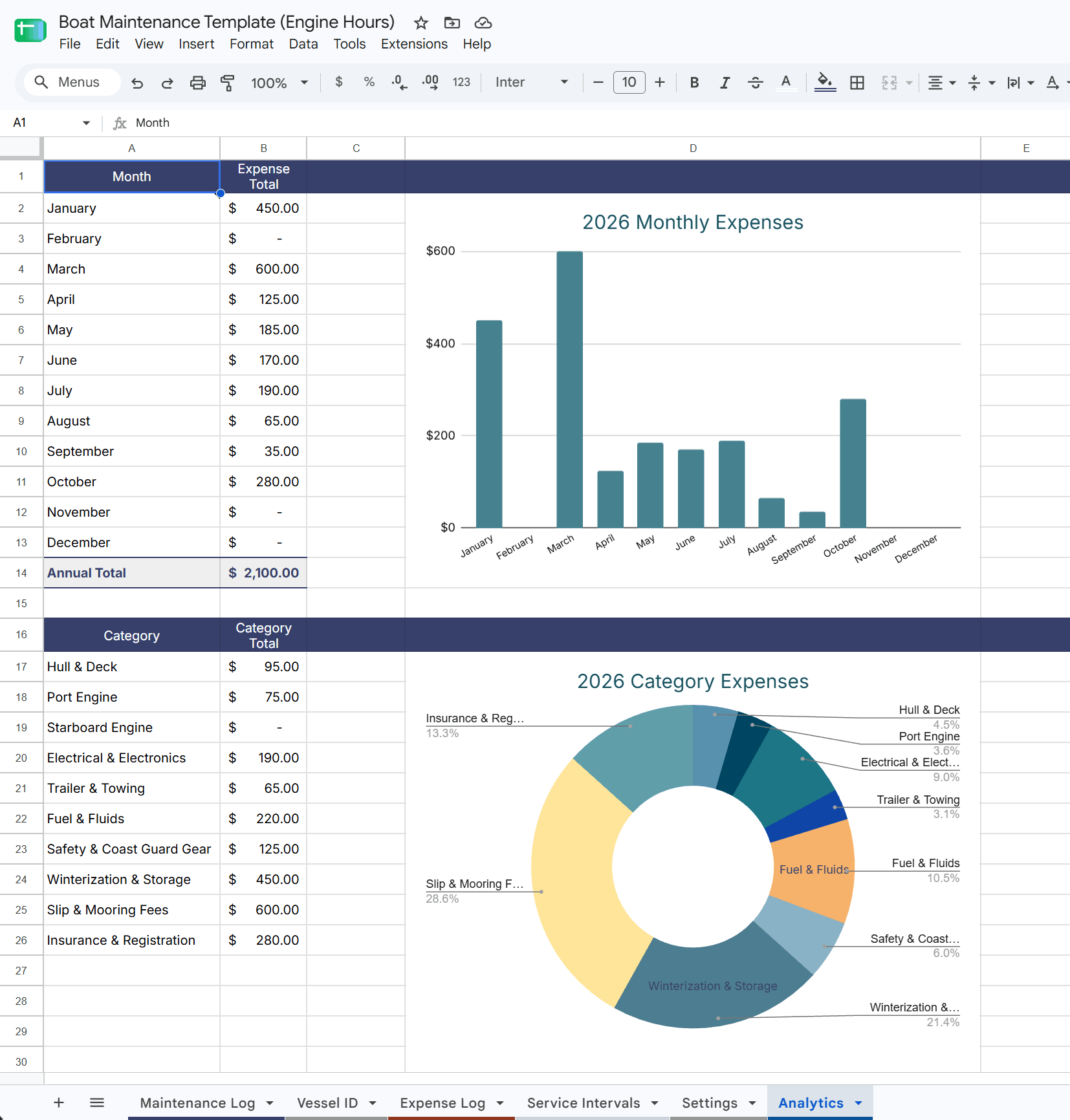
The document features a Vessel ID master list, color-coded maintenance categories, formulas and conditions, and Service Intervals with hours and frequencies to determine the next service date. Conditional Formatting styles alerts in the Maintenance Log when service is Due Soon or Past Due. An Expense Log sheet connects with the Analytics tab to generate a chart of Monthly Expenses and a chart of Expenses by Category.
This document is a great start to help you organize your service and maintenance schedule, see at a glance which services are coming due or past due, and even get notified via email.
Top Features
- Tracks Engine Hours: Marine vessels need service based on engine runtime under water resistance. This sheet monitors your engine hours and calendar days simultaneously, flagging an alert the moment you are running low on runtime hours.
- Automatic Email Alerts: A built-in script runs in the background. If a vehicle needs service, it automatically builds a clean email with the vehicle details, owner info, and the maintenance task, then sends it to your team.
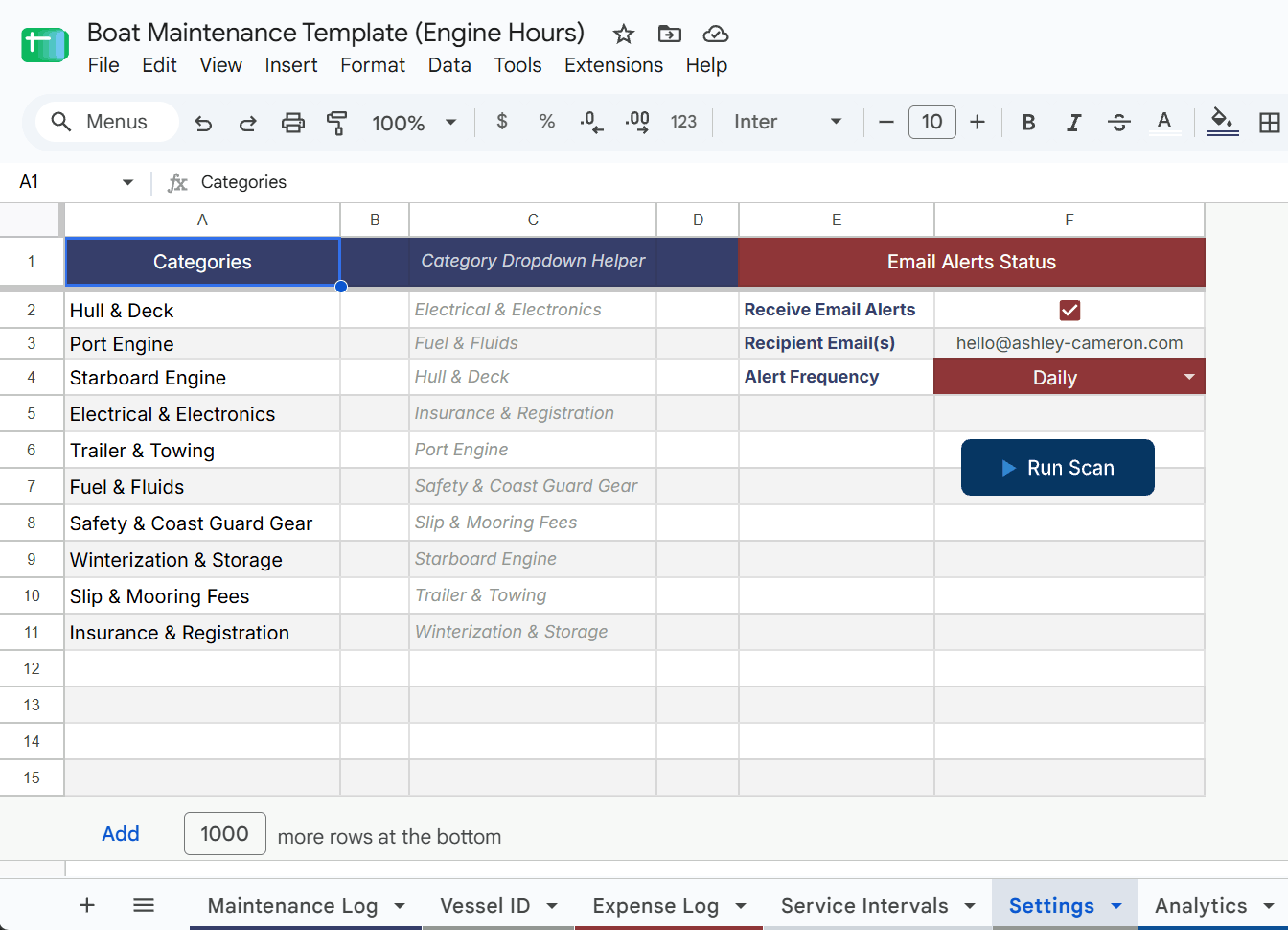
- Simple Control Panel: You do not need to know how to code. Right from the sheet, you can type in your email address, use a checkbox to turn email alerts on or off, or change how often the sheet checks for alerts (Daily, Weekly, or Monthly).
- Instant Visual Charts: The dashboard automatically adds up your costs by month and by category. It instantly creates a clean bar chart and a pie chart so you can see exactly where your money is going.
Sheet Tabs Included
- Vessel ID: A master list to save your vehicles’ core details (Owner, Make, Model, and Year) just once.
- Maintenance Log: Your daily tracking sheet for service tasks, showing clear colors and labels (
⚠️ Due Soonor❗️ Overdue) when service is needed. - Expense Log: A clean ledger to log your daily spending on parts, fuel, and gear using simple dropdown menus.
- Analytics: A compact page that stays on one screen and updates your financial charts automatically.
- Settings: The control room where you can type your email, toggle alerts, and click a big RUN SCAN NOW button to check your fleet instantly.
System Requirements
- Platform: Works with any free Google Sheets account.
- How it is delivered: You will get a link that safely prompts you to “Make a Copy” of the tracker directly into your own Google Drive account.
- What else is included: A simple, step-by-step document guide showing you how to turn on the email trigger the very first time you open the sheet.
Here’s a video on how I created the template to assist you with making updates.
Download the Setup Guide After Purchase
Download the New User Setup Guide (PDF) after purchase to access the template.
Make sure you are logged into Google when you open the URL. Then go to File > Make a copy so you can edit and save your personalized sheet. You may want to make an additional copy of the original before you begin editing.
Alerts and Statuses
- The ‘Alert’ column flags services that are due soon or overdue.
- These updates are based on mileage thresholds built into the logic, helping you prioritize urgent tasks.
Intervals/Services Sheet
- In the ‘Intervals/Services’ sheet, you can customize all the service intervals and assign prerequisites.
- This makes the tracker flexible for your specific car or maintenance preferences.